How to Stop Losing Money on Manual Order Entry
Copy Link

Every shed dealer knows the feeling. A customer finishes a conversation, the order details are written down, and someone on the team still has to enter everything into the system.
At first, that process seems harmless. After all, someone just needs to type the information into the order form. However, as sales increase, those small tasks start to pile up. Orders get copied from emails into spreadsheets. Then they move from spreadsheets into accounting systems. Later they get transferred again into production schedules.
Eventually the team spends hours each week moving the same information from place to place.
Over time, that manual work quietly costs shed businesses real money.
Where Manual Order Entry Starts to Hurt
Manual order entry begins with good intentions. Teams want to stay organized, so they document every order carefully. However, when information moves between multiple systems, problems start to appear.
First, the process takes time. Sales staff often spend several minutes entering details after every order. Multiply that by dozens of orders each week, and those minutes turn into hours.
Second, errors become more likely. A window size might get typed incorrectly. A delivery address might be copied wrong. Even a small mistake can delay a build or require extra follow up with the customer.
Finally, the process slows down communication. Production teams, installers, and office staff may all rely on different documents to track the same order.
As a result, everyone spends more time confirming details instead of moving work forward.

Why Order Automation Makes a Difference
Automation changes how information moves through your business.
When order details flow directly from the customer into your system, your team no longer needs to enter everything manually. That shift saves time immediately. At the same time, it reduces the chance of errors because information stays consistent across every step of the process.
Even better, automated workflows keep everyone on the same page. Sales, operations, and production teams all see the same order information in one place.
Because of that, orders move from design to delivery much faster.
How the 3D Configurator Captures Accurate Orders
The process often begins with the customer.
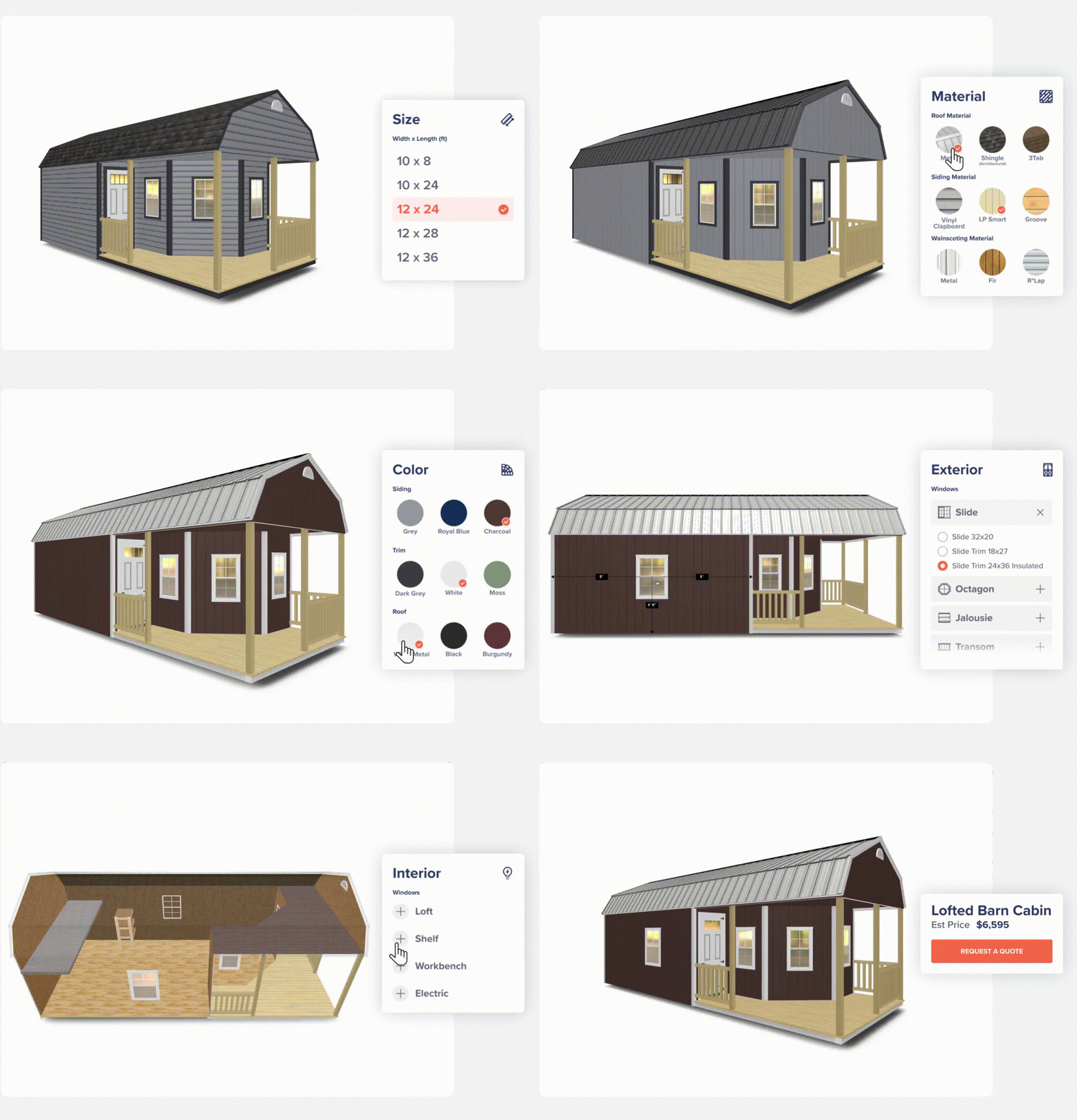
With ShedPro’s 3D Configurator, buyers can design their shed online. They choose the size, layout, doors, windows, and other options directly inside the tool. While they explore those options, the configurator captures every detail.
When the customer submits the design, that information arrives as a clear and structured lead. Instead of interpreting notes from a phone call or email, your team receives the exact configuration the customer already approved.
This step alone removes a large amount of guesswork.
Moving Orders Directly Into Operations
Once a customer submits a design, the next step is operations. That is where OpsHub plays an important role.
OpsHub organizes the order and keeps the details connected as the project moves forward. Customer information, configuration details, and order data stay together in one system.
Because the configurator connects directly with OpsHub, teams avoid re entering the same information multiple times. That connection saves time and keeps records accurate.
As a result, staff members focus more on building and delivering sheds instead of managing paperwork.
Saving Time Across the Entire Team
Order automation does not only help sales staff. It supports the entire organization.
Sales teams spend less time documenting orders. Office staff spend less time verifying details. Production teams receive clearer information about what needs to be built.
Over time, those improvements add up. Businesses process more orders without increasing administrative workload.
At the same time, customers benefit from smoother communication and fewer delays.
A Better Way to Run Your Shed Business
Manual order entry once played a necessary role in many shed businesses. Today, better tools make it possible to simplify that process.
When the 3D Configurator captures customer designs and OpsHub organizes order data, the entire workflow becomes more efficient. Orders move through the business with less friction, fewer errors, and far less paperwork.
That improvement gives your team more time to focus on the work that matters most.
Building sheds and serving customers.

Copy Link